Extensions Menu
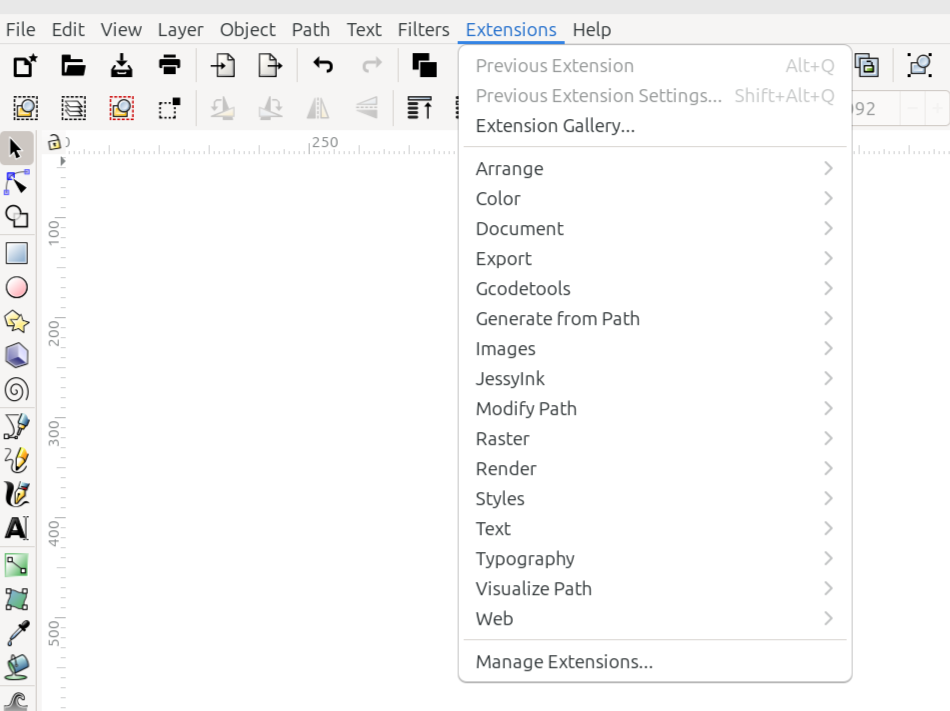
The Extensions menu
The extensions which were installed with Inkscape, along with any extensions the user might have installed, are listed in the Extensions menu. Those which are installed with Inkscape are listed below. To learn how to install extensions, as well as how to use them, please see the manual section, Extensions.
Command or Option |
What it Does |
|---|---|
Applies the extension used previously, to the currently selected object |
|
Applies the extension used previously, with new settings, to the currently selected object |
|
Opens the Extension Gallery dialog |
|
Reveals a dropdown menu of all the extensions in this category |
|
Reveals a dropdown menu of all the extensions in this category |
|
Reveals a dropdown menu of all the extensions in this category |
|
Reveals a dropdown menu of all the extensions in this category |
|
Reveals a dropdown menu of all the extensions in this category |
|
Reveals a dropdown menu of all the extensions in this category |
|
Reveals a dropdown menu of all the extensions in this category |
|
Reveals a dropdown menu of all the extensions in this category |
|
Reveals a dropdown menu of all the extensions in this category |
|
Reveals a dropdown menu of all the extensions in this category |
|
Reveals a dropdown menu of all the extensions in this category |
|
Reveals a dropdown menu of all the extensions in this category |
|
Reveals a dropdown menu of all the extensions in this category |
|
Reveals a dropdown menu of all the extensions in this category |
|
Reveals a dropdown menu of all the extensions in this category |
|
Reveals a dropdown menu of all the extensions in this category |
|
Opens the Manage Extensions dialog |
READY FOR REVIEW