File Menu
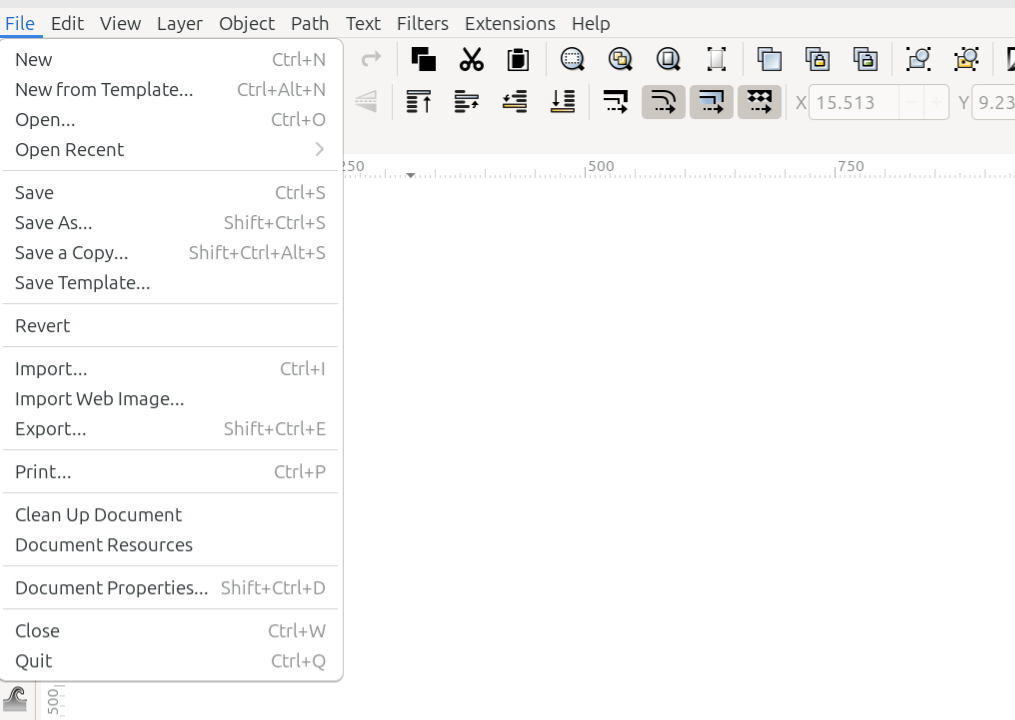
The File menu
The File menu contains commands for managing files, or documents. The list below shows how the commands are listed in the File menu, and gives a brief explanation for what each command does. To learn detailed information about the commands’ functionality, please follow the links.
Command or Option |
What it Does |
|---|---|
Opens a new default document |
|
Opens the New from Template dialog |
|
Opens the file manager |
|
Reveals a dropdown menu showing recently opened files |
|
Saves the open file |
|
Opens the Save As dialog |
|
Saves a copy of the document with a new name and/or location |
|
Saves the document as a template |
|
Returns the document to the point where the last save was made |
|
Opens the Import dialog |
|
Opens the Import Web Image dialog |
|
Opens the Export dialog |
|
Opens the Print dialog |
|
Removes data from the file that is no longer needed |
|
Opens the Document Resources dialog |
|
Opens the Document Properties dialog |
|
Closes the active tab |
|
Closes all Inkscape windows |
READY FOR REVIEW