Snap Controls
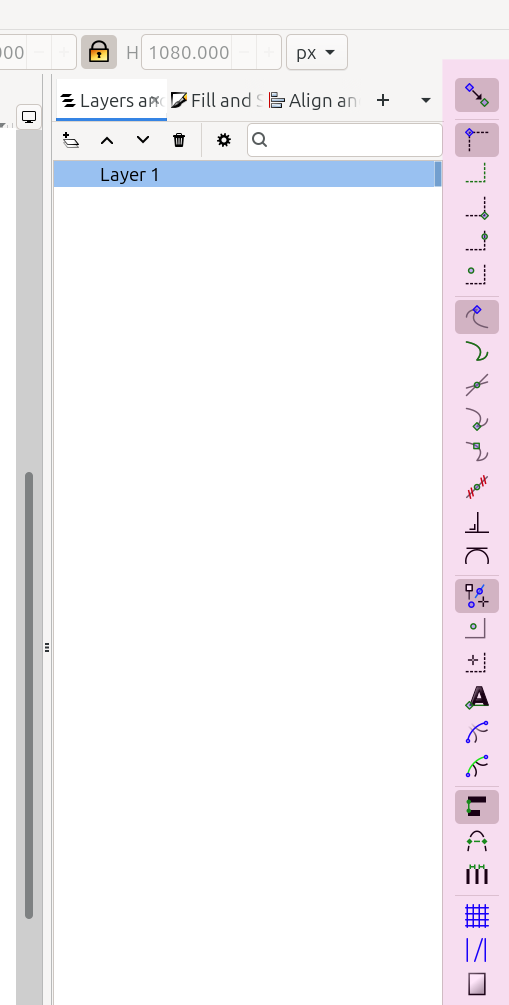
The Snap Controls Bar highlighted in pink

The Snap Controls Bar shown by itself
The image above-left shows the right side of an Inkscape window, with the snap controls bar highlighted in pink. The image above-right shows the snap bar by itself. The table below identifies each icon, with a brief description of what it does.
Icon |
Name of the Button and What it Does |
|---|---|
|
Snapping: enables snapping globally |
|
Snap Bounding Boxes: globally enables snapping bounding boxes |
|
Snap Bounding Box Edges: snap to bounding box edges |
|
Snap Bounding Box Corners: snap to bounding box corners |
|
Snap Bounding Box Edge Midpoints: snaps to the midpoints of bounding box edges |
|
Snap Bounding Box Center: snaps to the center of bounding boxes |
|
Snap Nodes: snaps nodes |
Snap Paths: snaps paths |
|
|
Snap Path Intersections: snap to path intersections |
|
Snap Cusp Nodes: snap to cusp nodes |
|
Snap Smooth Nodes: snap to smooth nodes |
|
Snap Lines Midpoint: snaps to the midpoint of segments |
|
Snap Perpendicular Lines: snaps to perpendicular lines |
|
Snap Tangential Lines: snaps to tangential lines |
|
Snap Others: globally enables snapping other things |
|
Snap Object Midpoints: snaps to object centers or midpoints |
|
Snap Rotation Center: snaps to object rotation centers |
Snap Text: snaps text baselines or text anchors |
|
Snap Mask Path: snaps to masking paths |
|
Snap Clip Path: snaps to clipping paths |
|
|
Snap Alignment: globally snaps alignment situations |
|
Snap Nodes That Align: snap nodes to positions relative to nodes in the same path |
|
Snap to Equal Distance: snap objects to positions of equal distance |
snap to grids - is missing from the icons list |
Snap to Grids: enables snapping to grids |
currently called “snap-grids-guides-intersection” to be renamed something like “snap-guides” or “snap to guides”. |
Snap to Guides: enables snapping to guides |
|
Snap to Page: enables snapping to pages |
IN PROGRESS / UNFINISHED